

Claims Management
Claims Management
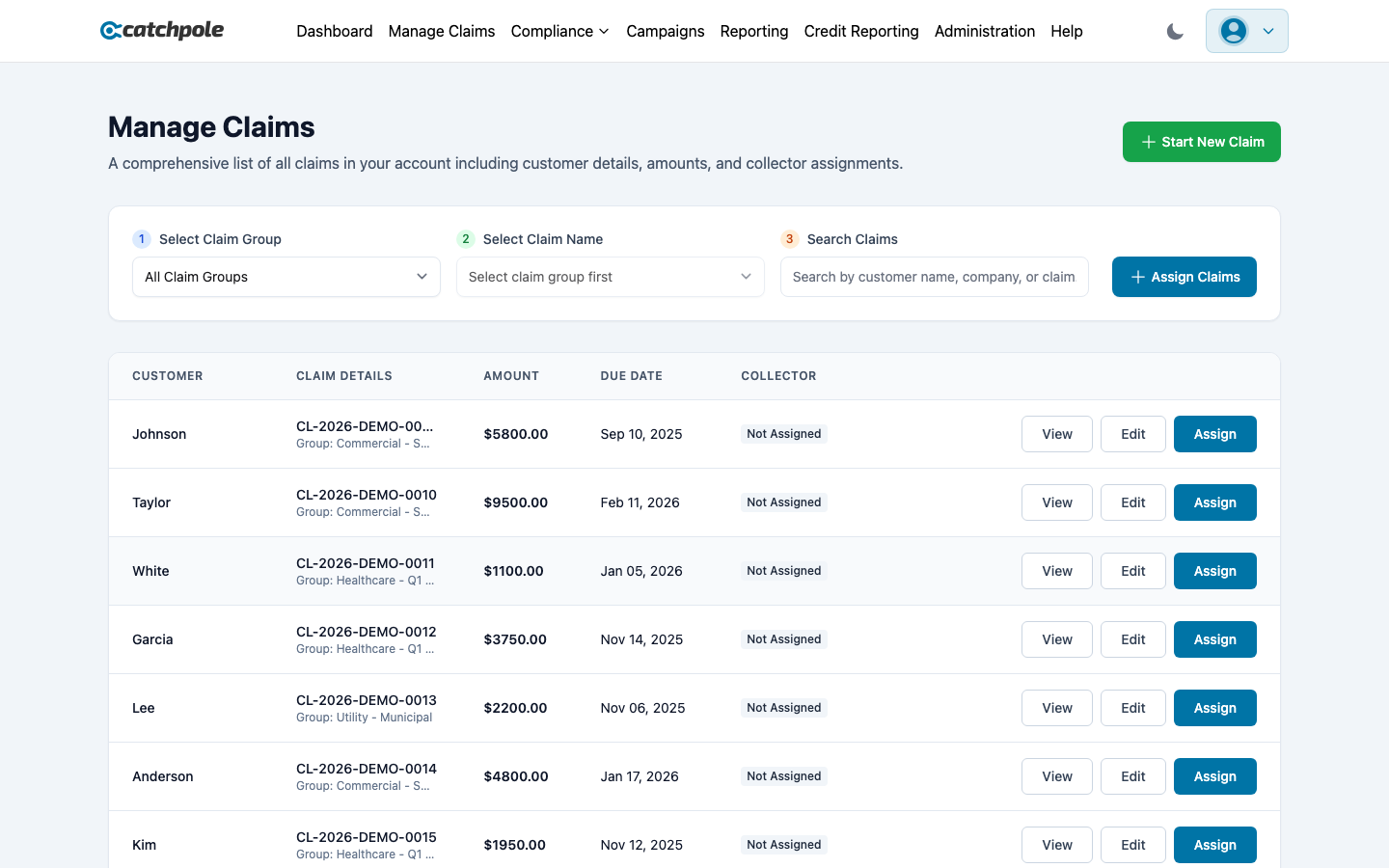
Claims are the core of your collections operation. The Manage Claims page gives you a comprehensive view of all claims in your organization with powerful filtering, assignment, and management tools.
Viewing Claims
The claims table shows:
- Customer — the debtor’s name
- Claim Details — claim reference and group
- Amount — outstanding balance
- Due Date — when payment is due
- Collector — assigned collector (or “Not Assigned”)
- Actions — View, Edit, and Assign buttons
Filtering Claims
Use the three-step filter at the top:
- Select Claim Group — filter by group (Healthcare, Commercial, Utility, etc.)
- Select Claim Name — narrow down to a specific claim type
- Search Claims — free-text search by customer name, company, or claim reference
Assigning Claims
Click Assign Claims to bulk-assign claims to collectors. You can also assign individual claims using the Assign button on each row.
Creating Claims
Manual Entry
Click Start New Claim to create a claim manually. Fill in:
- Customer information (name, contact details, address)
- Debt details (type, original creditor, amount, due date)
- Claim group assignment
CSV Import
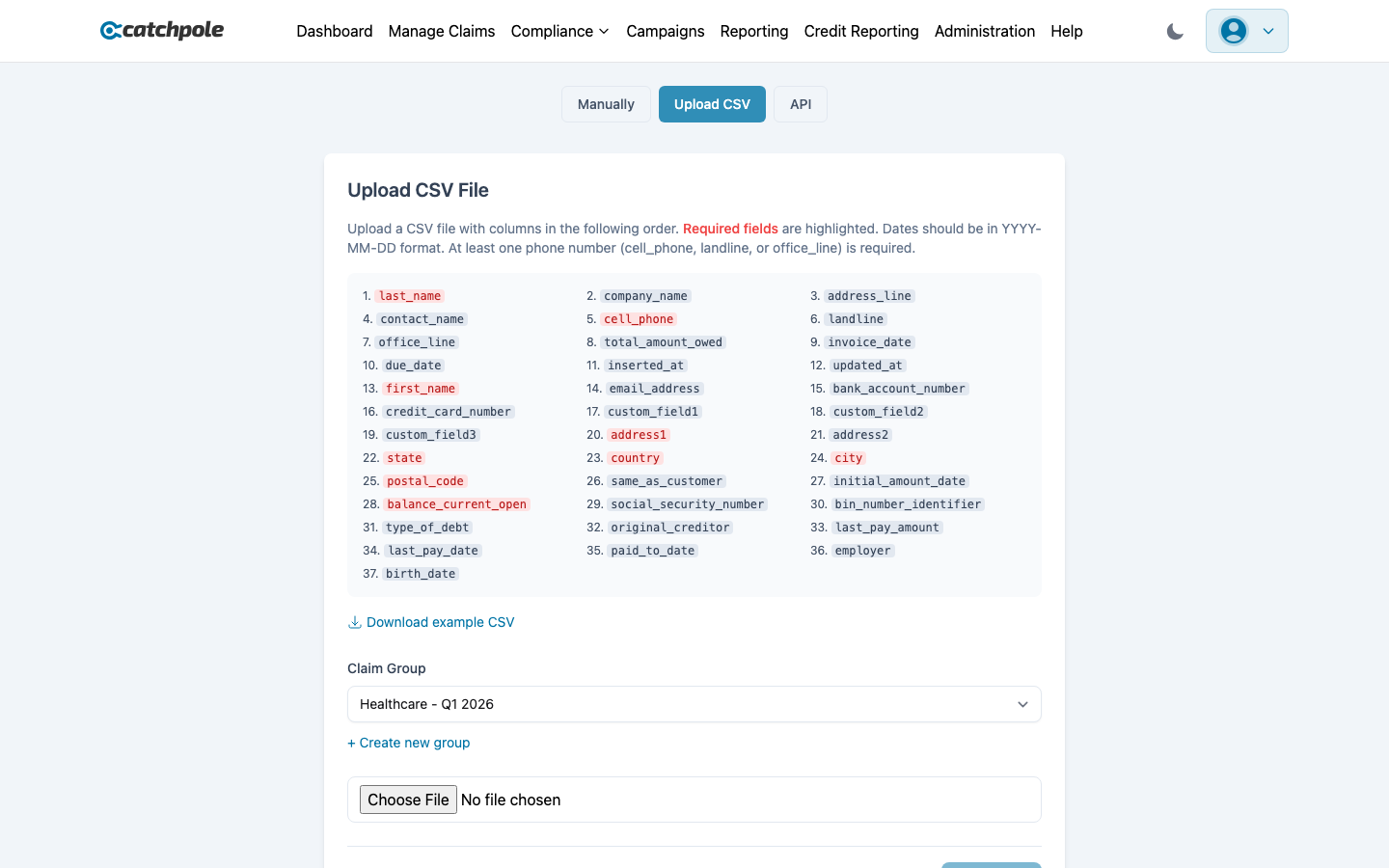 Use the CSV import to upload claims in bulk. The system validates your data and maps columns automatically.
Bulk Import Wizard
For large imports, use the dedicated Bulk Import wizard with guided validation and error handling.
Claim Groups
Claim groups help you organize claims by category:
- Healthcare debts
- Commercial debts
- Utility debts
- Insurance debts
- Custom groups you define
Claim Details
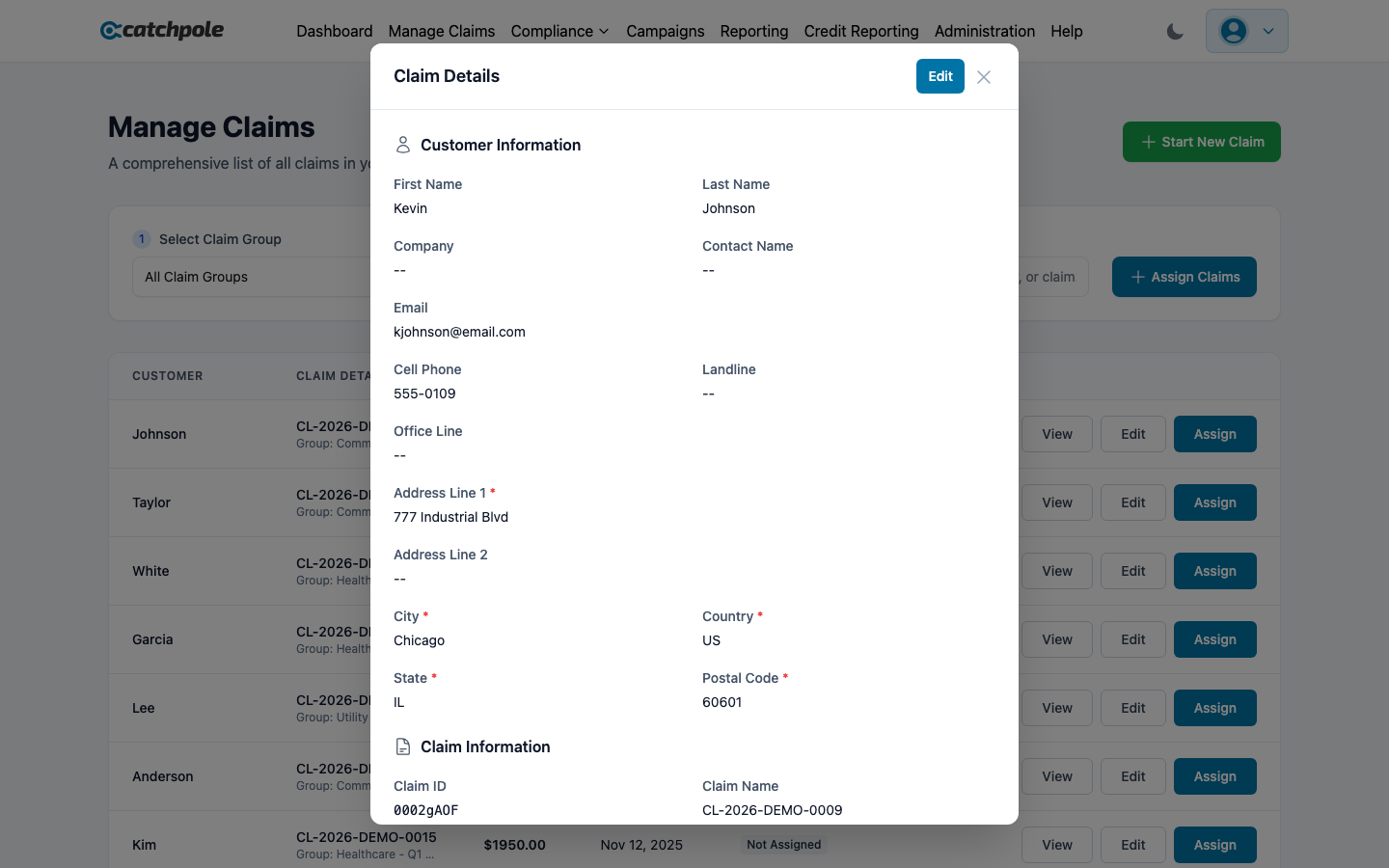
Click View on any claim to see the full detail including:
- Complete debt information
- Payment history
- Contact history
- Associated documents
- Legal status
- Dispute status