

Promise-to-Pay Tracking
Promise-to-Pay Tracking
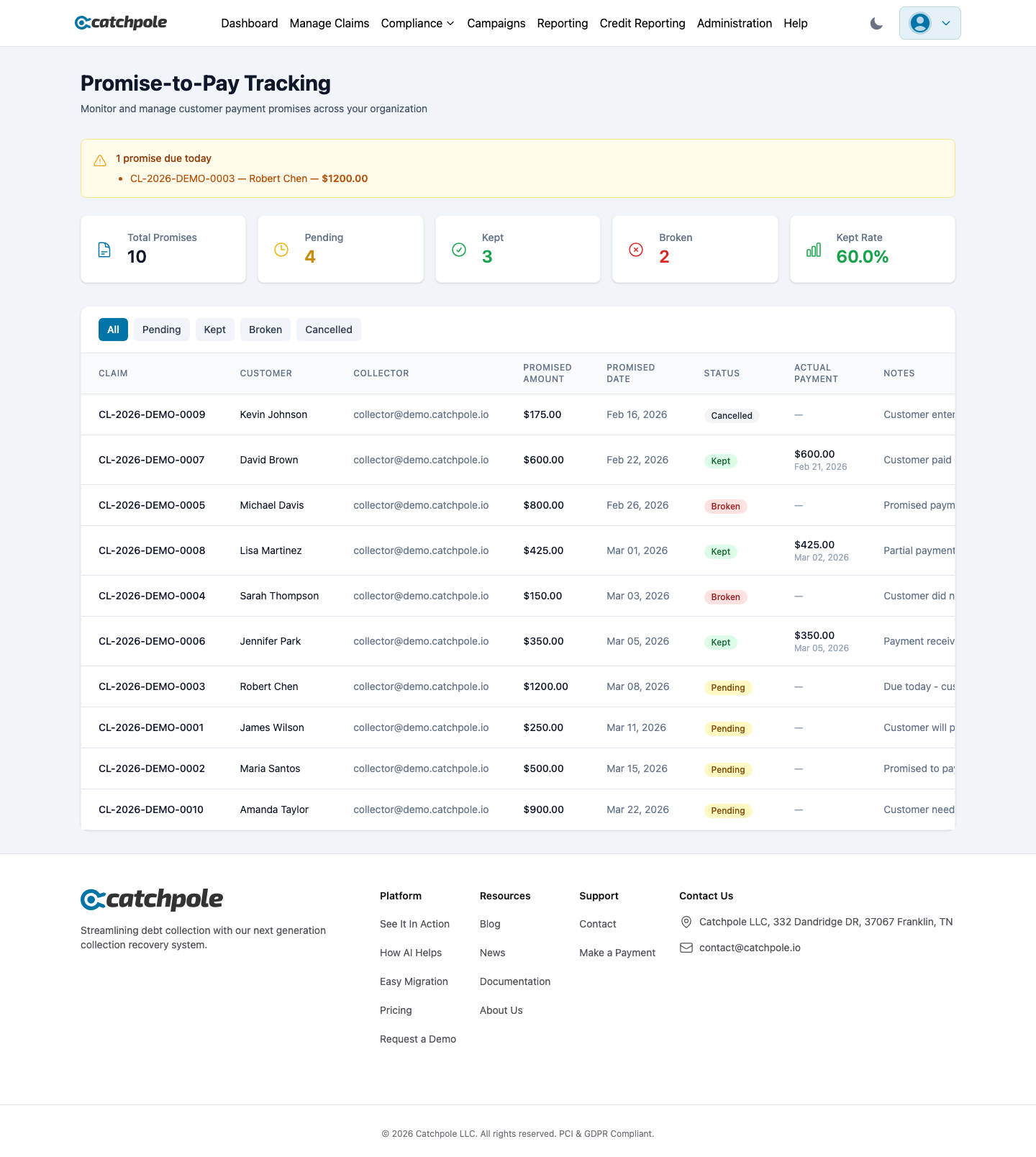
When a debtor commits to making a payment by a certain date, recording that promise ensures timely follow-up. Catchpole tracks every promise and automatically detects broken ones.
How It Works
- A collector records a promise during a call or contact
- The system tracks the promised amount and date
- On the promise date, the system checks if payment was received
- If not, the promise is flagged as broken for immediate follow-up
Promise Statuses
- Pending — promise date hasn’t arrived yet
- Kept — payment was received on or before the promise date
- Broken — promise date passed without payment
- Cancelled — promise was cancelled or superseded
Recording a Promise
From the collector dashboard or customer detail view:
- Click Promise
- Enter the promised amount
- Set the promise date
- Add any notes about the conversation
- Save — the system will track it automatically
Broken Promise Follow-Up
Broken promises are detected daily and appear in:
- The collector’s work queue (prioritized for follow-up)
- The Promises dashboard with “Broken” status
- Management reports for tracking patterns
Dashboard View
The Promises page shows all promises across your organization:
- Filter by status (Pending, Kept, Broken)
- See promised amounts and dates
- View associated customer and claim details
- Track promise-keeping rates across your portfolio